
my mini-review of the IKALOGIC Scanalogic-2 PRO logic analyzer

As many of you know, I maintain a comparison page of sub$1000 logic analyzers here.  I previously owned both a LogicPort and a Saleae Logic unit.

I just received in the mail an IKALOGIC Scanalogic-2 PRO logic analyzer.  This is a small low-cost($79 via MCPros) logic analyzer which is about half the price of an 8-channel Saleae Logic.

The rough specs on the unit are:

  • 4 channels (both for input, and for output (signal generation))
  • 20 million samples per second
  • 256K samples per channel
  • Multiple serial decoders for SPI, I2C, 1-WIRE, UART, CAN, LIN,Manchester
  • Multiple voltage support: 2V, 2.8V, 3.3V, 3.6V and 5V logic
  • Free Windows-based ScanaStudio software

It ships with the following stuff:

* the small blue unit itself

* a multicolor 5-port lead with micrograbbers(including GND)

* a 3-ft USB cable

* a quick-start ~4″ x 6″ card


My source for the specs, manual, software, etc can be found at IKALOGIC’s site here.

The two screws holding the small plastic case together make it super tempting to pry inside and see the hardware that the scanalogic-2 is based on:

As is with the Saleae Logic unit, the 5-port lead that includes the micrograbbers isn’t polarized or keyed in anyway, which could lead users to accidentally connect ground to something they were trying to measure.  They did include a “Probes Legend” in the Configuration / Device tab to help show the proper orientation of the cables.

I connected the SL2 (I can’t keep using the full name) to my Commodore Amiga, specifically the DENISE chip, to test it out.  I hooked it up to two clocks, one called 7M on the YELLOW and CCK (color clock) on the BLUE lead.

Here’s an image of it in use: (Click for full size)

The micrograbbers were nice and attached quickly and securely.

The software ScanaStudio installed with no problems on my Windows 7 machine, and recognized the hardware as soon as I connected it without driver related problems.  The software itself seems pretty clean, intuitive, and looks relatively well-designed.

IKALOGIC made the design decision to use the mostly driver-less HID class to interface the SL2.  While this makes installation a breeze and limits driver issues, it also slows down the maximum transfer rate which means that post-acquisition, there is a delay of about 30 seconds before the data is displayed on the screen.  The wait isn’t too bad, but other devices on the market are near-instantaneous.

The device works as advertised, and the software behaves as you would expect.

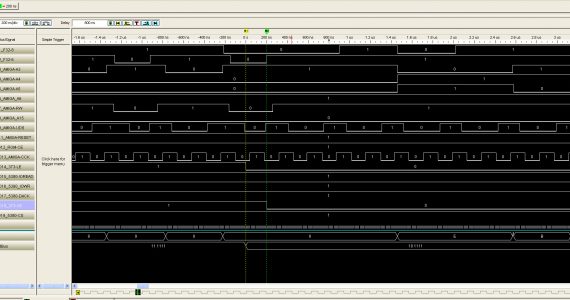
Here’s a screenshot of the SL2 in action:

In the above image, I recorded two clocks being provided to DENISE and then highlighted a section by selecting it.  It shows the total time of the selection, the frequency, and duty cycle.

The software has some useful features like the ability to export a screenshot, export the data to CSV, export printer-friendly images, and so on.  The triggering is simple (Falling, Rising, or Logic Change) on either ALL channels or an individual channel.  There is also a neat auto-refresh mode where the device will periodically go out and make another acquisition.

I didn’t really play with the signal generation capabilities or the various signal decoders yet.

I contacted support for a couple minor issues, and the email response was lightning fast and addressed my issues completely…..

Overall, this is a small straight-forward, low-cost unit, which could help in many hobby projects.  If you need to take a quick look at an SPI bus, or help debug a small interface, this could come in really handy.


progress on amiga vsc made this weekend, VSYNC problem persists

Worked on the Amiga VSC this past weekend at Notacon with my super smart friend Brian P.  We made some progress, including eliminating all but the smallest HSYNC related bugs.

There is still a problem that is haunting us with VSYNC where the screen is shifting up and down constantly.  We have not uncovered a clue to what the problem is despite many theories and attempts.

I’ll post a picture and new video soon.


Cause of most of my noise is likely a sample error

I haven’t put much time lately into the amiga VSC but I put in a little tonight.

I’ve got the image cleaner than it has been, but there is still noise on the left hand side, and a left-center band of scrolling red dots.

These dots are sampling error for sure because when they occur, usually the two samples that I take don’t agree.  I should be able to get more than one 10ns sample of a 140ns data, and so perhaps something is drifting until it gets onto a signal boundary, and then comes back again.  I’d like to see this in the data itself, so perhaps I need more captures.

I submitted the current code to the SVN repo….


Video artifacts present in scan doubled video

I uploaded a video to youtube that shows some video artifacts happening with the scan doubled video.

The entire video shakes as if interlaced, but it’s not. Original res 320×200(15.7khz), doubled to 640×400.(~31khz)

There is a colored wavy pattern across the white sections.

Video showing artifacts

On a monitor directly attached to the amiga, the screen is very stable, crisp, and nice looking. :)


Removed the black bar, amiga VSC is starting to work much better

Here’s a screen shot of the amiga vsc in action.  As you can see, there’s been much improvement from the last session.

Even though I am now passing the amiga’s VSYNC through the FPGA to the monitor, I wasn’t resetting my Y coordinate in my hvsync generator module. What this meant was that the module thought it was blanking when it wasn’t — spitting out a scrolling black bar.  On receipt of a VSYNC from the amiga, I now adjust the Y coordinate appropriately. (set it to 435, for what it’s worth)


Getting closer….

So a few versions later, trying some different failed attempts, I am finally starting to get a little closer.  Here’s the best video I’ve got so far, but my image is still scrolling.

If I can fix the scrolling issue, which I suppose is related to VSYNC, then maybe things might be looking better.

The things that give me hope are:

  • Size is basically correct, taking up the whole output screen.
  • Colors all look right
  • Text is basically readable
  • Some artifacts around the edges of the graphics, but nothing too horrible

Yay! Initial shots from the VSC!

So I got everything hooked up tonight, and the good news is that I have definitely made some progress!

It appears to work, although the video is currently scrolling with multiple video problems, but I definitely have something to work with!

finally got some work into the VSC

Ok, so I’ve finally got some work done on this tonight.

I’ve decided to go to a 4-line buffer system because it’s a more round number than 3 — makes everything easier to deal with.

I’ve gotten rid of the dram controller, and all associated circuitry. Create (4) dual-port rams, instantiated my amiga video acquisition module.

Good progress tonight. Still have to create the write FSM for grabbing the data from the amiga module and writing it into the correct line buffer. Should be easy but at 1:33am local time, I’ve got to sleep.

I wanted to keep the work modularized and so I needed what I believe is called a (one-hot?) decoder — which takes a single write enable signal, and a 2-bit select signal for the write bank, and then outputs four separate signals so that only one of the signals is enabled at a time. All are sitting on standby, but only one line buffer will only be written to, every 320 pixels. All are being fed an x-coordinate for a write address.


I haven’t had a chance to simulate this, but I think it’ll work.  Here’s my code:

module wren_decoder(
select,
bank_wrens,
master_wren
);</code>

input [1:0] select;
input master_wren;
output reg [3:0] bank_wrens ;

always @ (select or master_wren)
begin
if (master_wren) begin
case (select)
2'd0 : bank_wrens = 4'b0001;
2'd1 : bank_wrens = 4'b0010;
2'd2 : bank_wrens = 4'b0100;
2'd3 : bank_wrens = 4'b1000;
endcase
end
else begin

bank_wrens = 4'b0000;

end

end

endmodule

If master_wren is disabled, then all four rams see wr_enable disabled.

If master_wren is enabled, then based on the bank selection, the correct ram is enabled for writing.

Each ram gets their wr_enable signal tied to bank_wrens[0], bank_wrens[1], and so on......

Look ok?


switching design from DRAM to ALTRAMs

So as my last couple posts alluded to, I’ve been having problems with my DRAM-based design.

My controller isn’t dual-port.

And I’ve been trying to wrap my head around a time-slot method for arbitration.  And optimizing memory controllers.

Then it struck me — my incoming and outgoing data rate access to the memory is exactly the same.  Because my output is twice the resolution, but half the frequency, the per-frame time is the same for 640×400 @ 32khz as for 320×200 @ 15.7khz.

So if the data rates are the same, what’s stopping me from just putting a little buffer in-line, and forgetting all this complicated DRAM access time issues?

I ran it past my super smart friend Brian, and he’s thinks it’s a fine idea.  He recommended perhaps a three line buffer, using separate rams for each line, cycling through each buffer for each incoming/outgoing line.

I’m convinced that the simplest solution is always the best solution which leaves less room for error.

I’m excited about having a new way of moving forward on this. I’ve been stagnant for a couple weeks but that is changing soon enough.


on memory controller optimization

So I’ve been trying to optimize a freeware memory controller for my particular memory chip.

I’m running into this situation where the DRAM to ALTRAM copy takes upwards of 24us per line. But I only have a total of 32us per line. So my “free” memory time is limited to about 8us.  I was _really_ trying to get the copy down pretty low so the “rest” of the memory time could be spent writing from the amiga to the dram.

I’m running into weird problems though. First off, sometimes the copy exceeds the time per horizontal line, and I can’t figure out wtf that is. It’s not so simple that it’s a simple bank change or something that causes a little extra delay.

Furthermore, everything seems to be working. No graphics flaws that I can see. I would expect to see randomly repeated rows or something.

I took the controller from 133mhz to 166mhz, and I see some improvement there.  The controller does not wait tRCD when it can, but waits tRC all the time. I tried changing the value to the tRCD from the datasheet, and that does really speed things up, but anytime there is a bank change, then there’s an associated error.

I’m beginning to think that the highest payoff in optimizing the controller is the burst size, because there seems to be much overhead with each read request. When you are running at 166mhz, data is coming in pretty damn fast from the memory, and each added 16bits width comes in at the clock rate. Since your overhead would be fixed, doubling the amount of data received would allow for more efficient transfer.

The controller has a fixed burst size of 2 — and I’ll need to modify controller a fair bit to support it.  What especially makes my job harder is that the order of the data changes based on the most significant portions of the column address. So accesses to a CA of 00xxxx- has order 0-1-2-3, but CA of 11xxxx- has order 3-0-1-2. It just makes things harder than just tacking the received data on the end. :)